DDX is a compact HF Digital Transceiver
Proven On Air
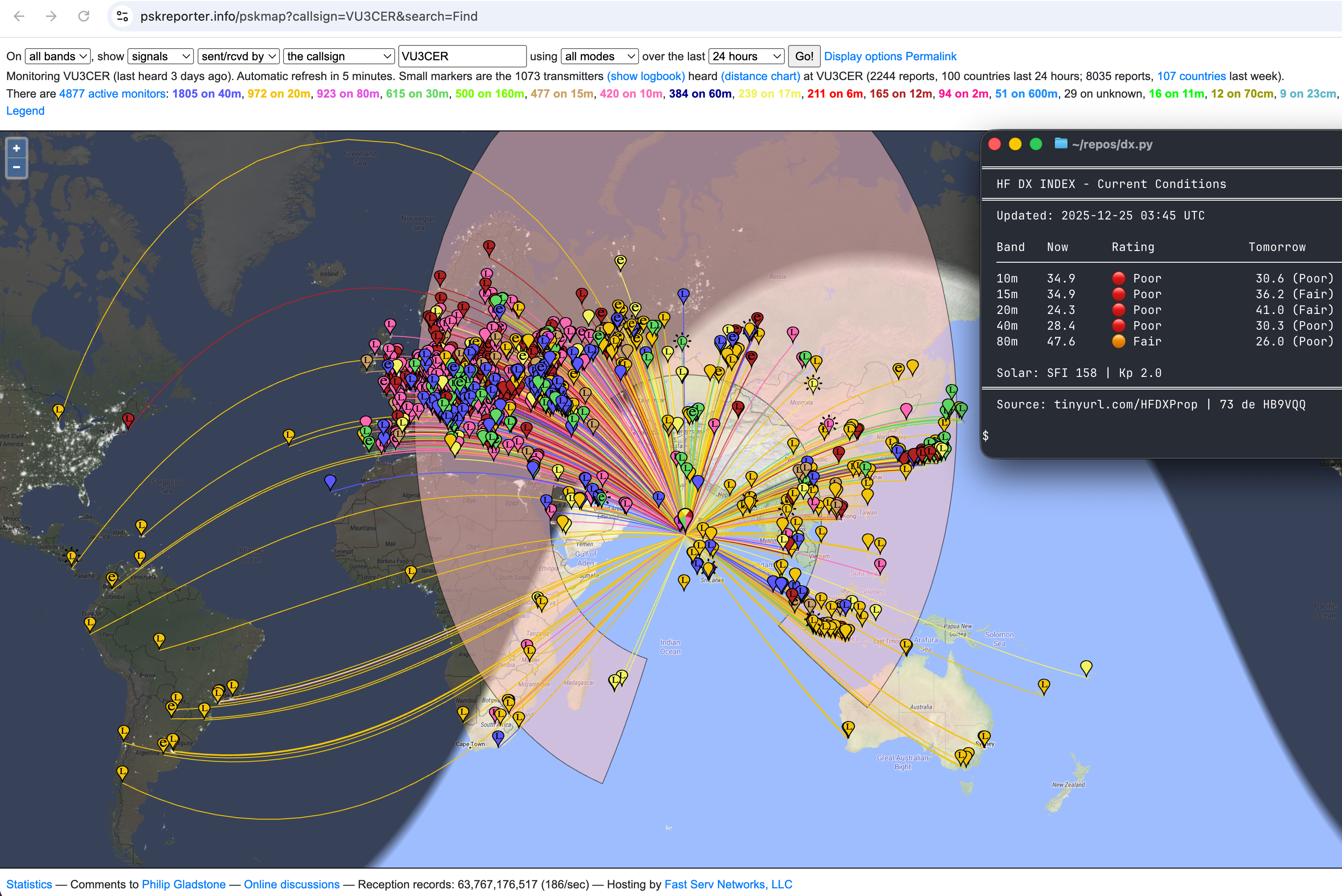
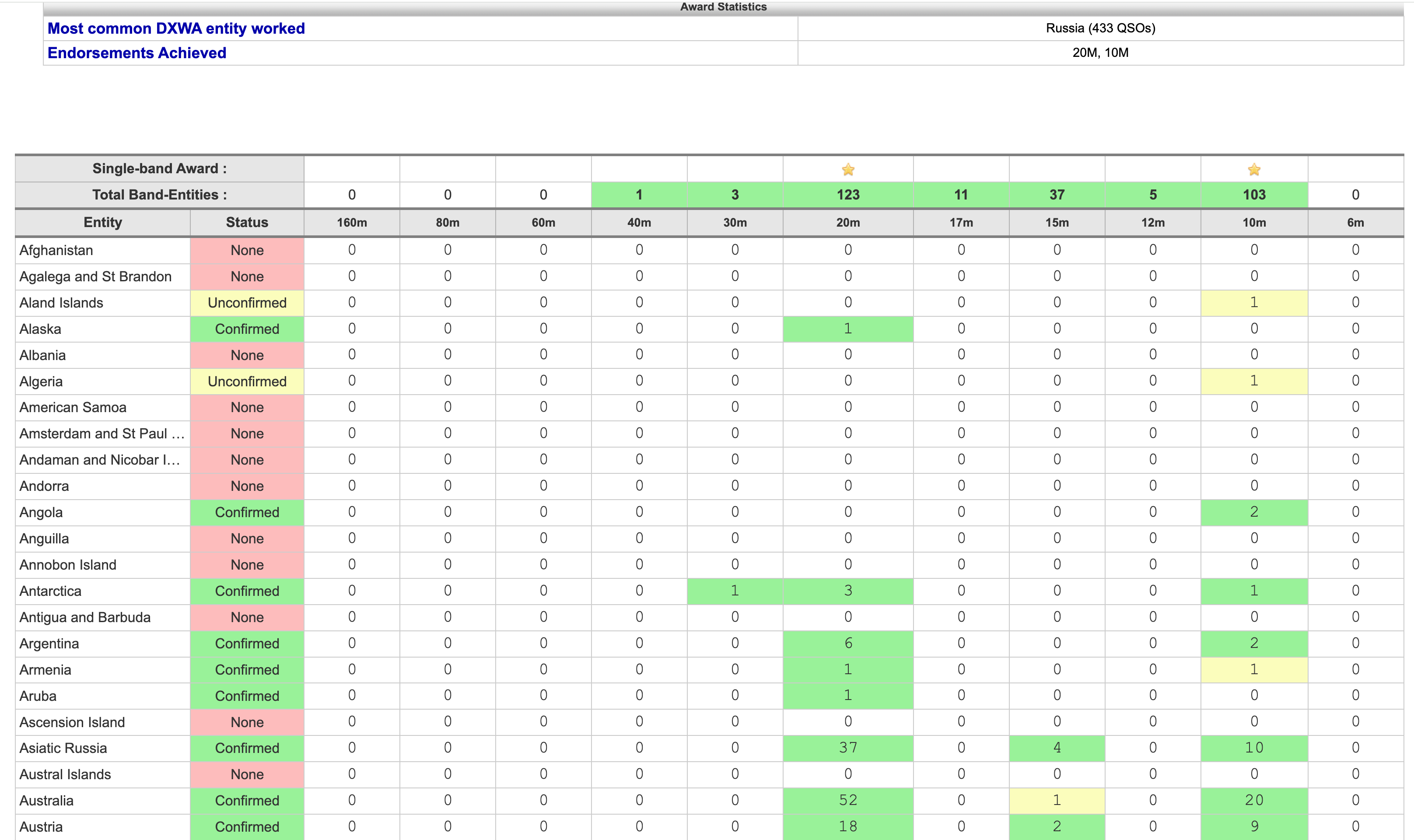
100+ DX entities worked on 10m using ~5W
Award screenshots, prototype photos, and operating evidence are shown below so you can evaluate the project before buying.
DDX Help Manuals
Download the guide for your DDX build, including assembly, firmware, USB serial number discovery, and operating setup.
- Download DDX Help Manual (PDF) — for builders using the hardware design files.
- Download DDX Kit Help Manual (PDF) — for DDX hardware kit owners.
DDX Stories Real on-air moments from the DDX journey – because every contact has a story.
🌍 15,000+ Kilometers from Pune
We still pinch ourselves thinking about this one. From our shack in Pune (MK68), DDX reached Belize – over 15,000 kilometers away! That's halfway around the world with just ~5W. Propagation was kind, but moments like this remind us why we build radios.
🇺🇸 Full Circle: WW1WW, Then and Now
Years ago, our very first USA contact was with WW1WW – using an IC-7300. We never forgot that thrill. Fast forward to 2025: we fired up DDX, and there it was – WW1WW again. Same call sign, completely different radio. This one felt personal. Full circle.
🔧 The 10:1 VSWR Miracle
Here's one we didn't expect to work. Antenna was badly detuned inside a building with glass windows – 10.0:1 VSWR, the kind of number that makes you wince. But DDX kept going. Result? A solid QSO with Russia from Pune (MK68). Sometimes the radio surprises you.
📡 80-100+ Countries on a "Poor" Antenna
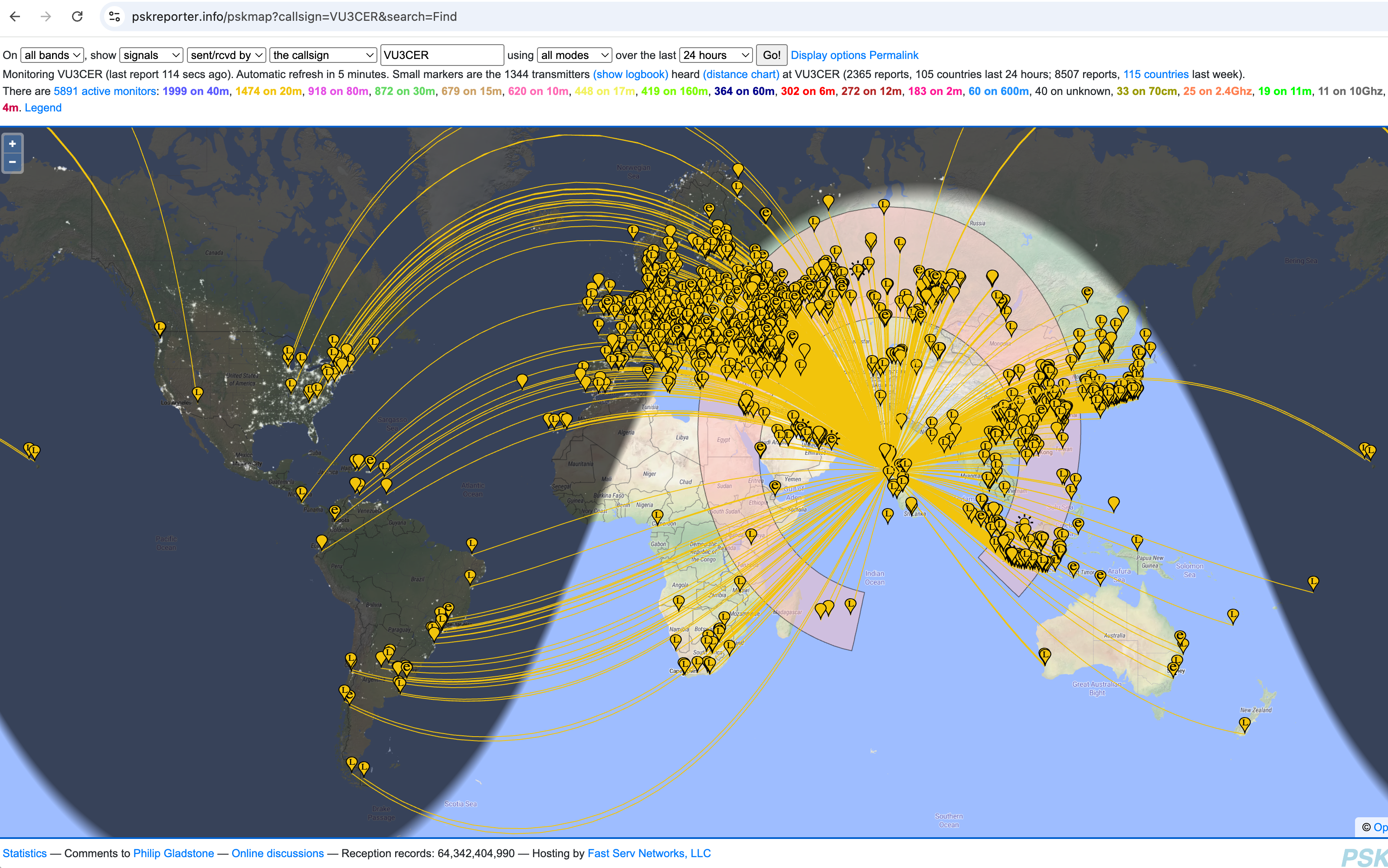
This is the everyday magic of DDX. On a typical day, with nothing more than a 5-meter EFHW wire – what many would call a "poor" antenna – DDX pulls in 80 to 100+ countries. No tower, no beam, no amplifier. Just smart design meeting the bands.
🎉 Hamlib: Opening Doors for Everyone
This one's for the community. Hamlib support is now merged! DDX-Commercial works out-of-the-box with all your favorite software – no hacks, no workarounds. That's PR #2019 making life easier for everyone.
🚀 Why We're Going Open Source
DDX isn't just about building one radio. It's about enabling the next generation of radios on a solid, open foundation. That's why we're upstreaming to projects like TinyUSB (PR #2105). Open source means anyone can build on what we've started.
Why Builders Trust DDX
- Real prototype photos and on-air results are published on this page
- DDX has been built and validated independently by multiple hams spread across India, Romania, and the US
- Secure checkout is handled by Razorpay; card data is not stored by this site
- Hardware files are delivered immediately after payment
- Firmware is compiled per radio serial to let you verify hardware first
Support and Delivery
- Email support: [email protected]
- If a delivery email does not arrive, resend help is available with your payment ID
- Firmware license transfer help is available if your MCU is replaced and the serial changes
- Hardware Files are digital downloads; the DDX HW Kit includes a physical board, all hardware components, and full firmware
About the Project Project background and open-source history.
DDX is a builder-first amateur radio project focused on practical Digital operation rather than a broad feature list. The design, operating screenshots, and prototype photos shown here come from real project work.
Build Your DDX Digital Transceiver Specifications, key features, renders, prototype photos, and on-air results.
DDX is intended for radio amateurs who want a Digital-focused HF transceiver. The workflow is straightforward: buy the design package, order assembled boards, complete final assembly, verify with DEMO firmware, and then unlock TX with a serial-bound license.
DDX Specifications
- Frequency: All HF bands - manually switched filters
- Modes: All Digital FSK modes (FT8, FT4, FT2, JS8, WSPR and others)
- Power Output: ~5W
- Power Consumption: ~0.82 W (≈60 mA @ 13.8 V) for RX, maximum of 1.3 A for TX
- PCB Size: 65×65mm
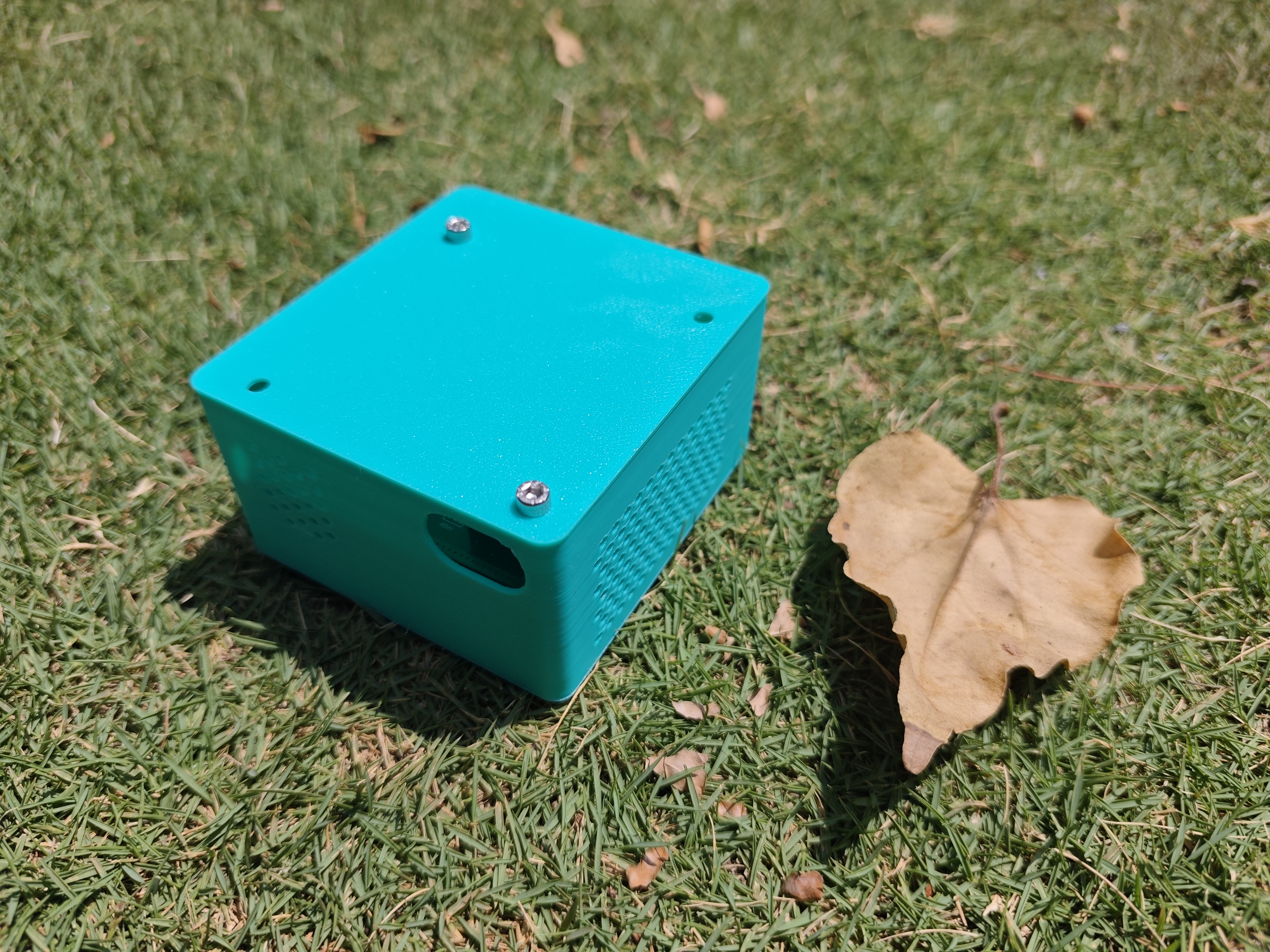
- Enclosure: < 85×80×45mm
- Weight: < 300 grams (with heatsink attached)
Key Features
- Single USB connection for Audio + CAT control
- Rugged PA design tolerates common real-world antenna mismatches (5.0:1 VSWR, shorted coax - all fine)
- Built-in TCXOs for stable operation without routine calibration
- Reliable T/R switching based on a DPDT relay
- TX chain designed for clean Digital operation with the correct output filtering
- Hybrid bit-perfect modems with transparent VirtualDigi-AFP-FSK fallback
- Tested with WSJT-X and WSJT-X Improved
- Consistent DX reach with simple wire antennas in real-world use
- Native support in Hamlib, WSJT-X Improved, and other software (open-source code)
- Global FT8 reception with minimal antenna (5m long EFHW)
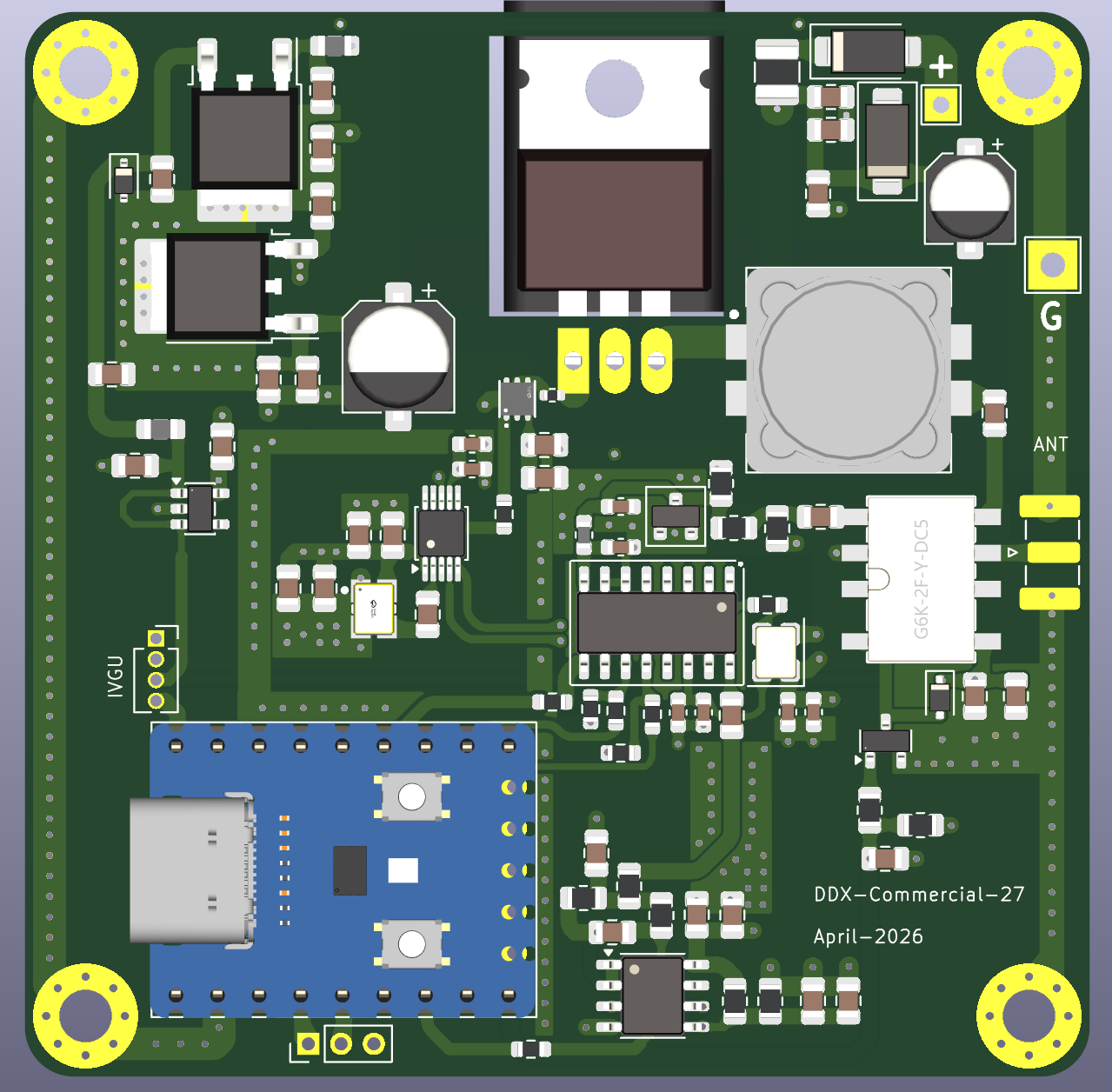
3D Renders
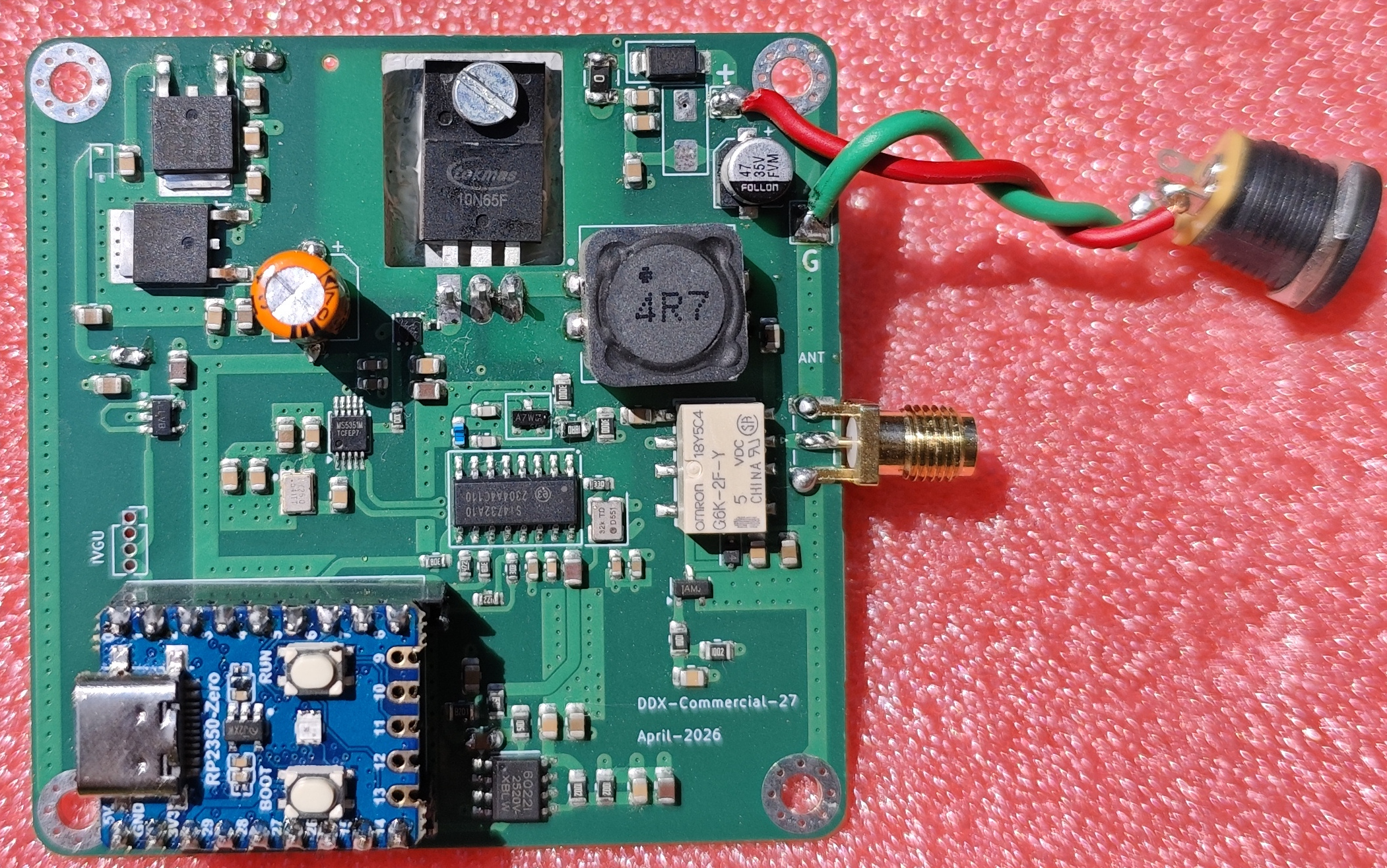
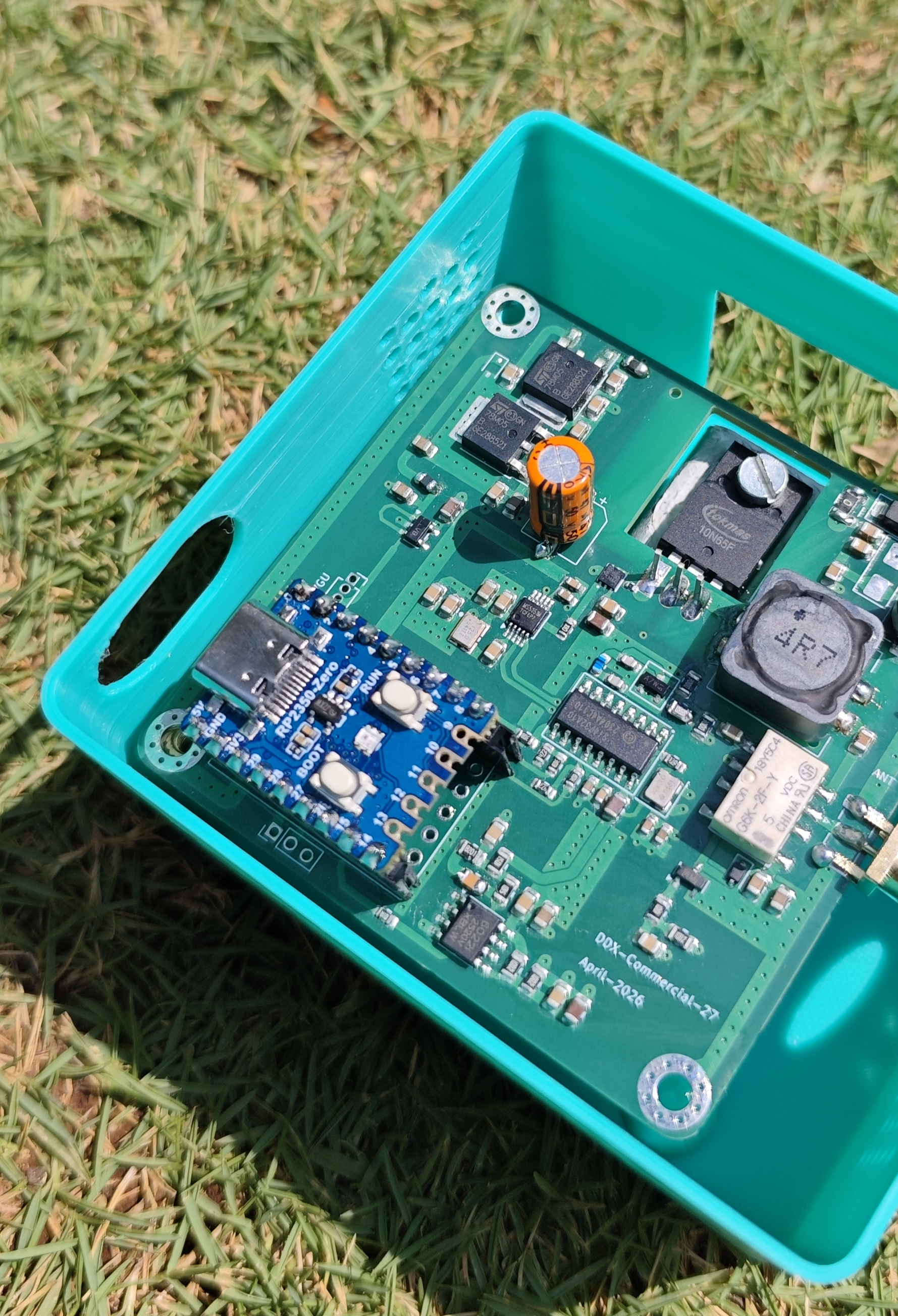
Product (prototype) photos
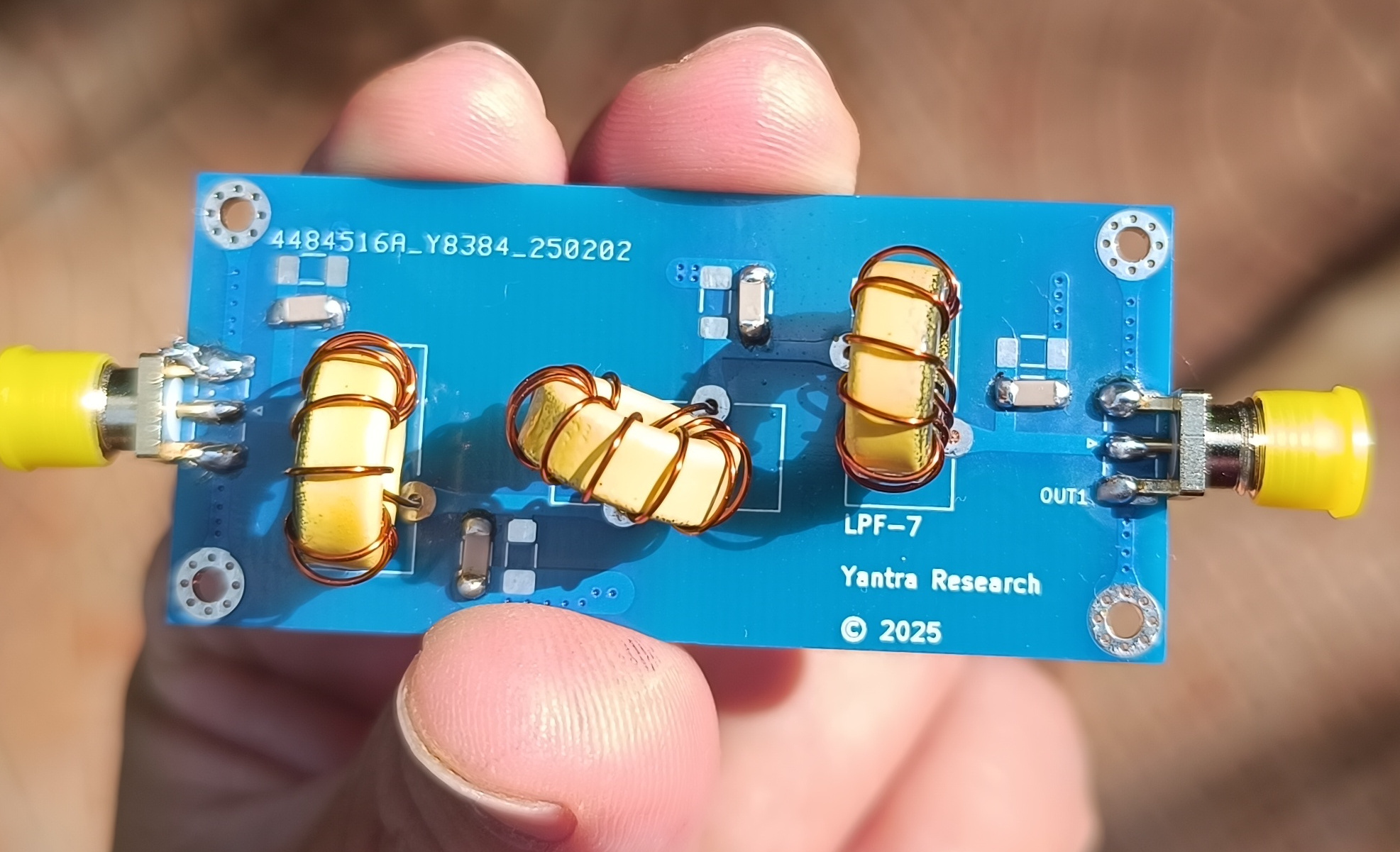
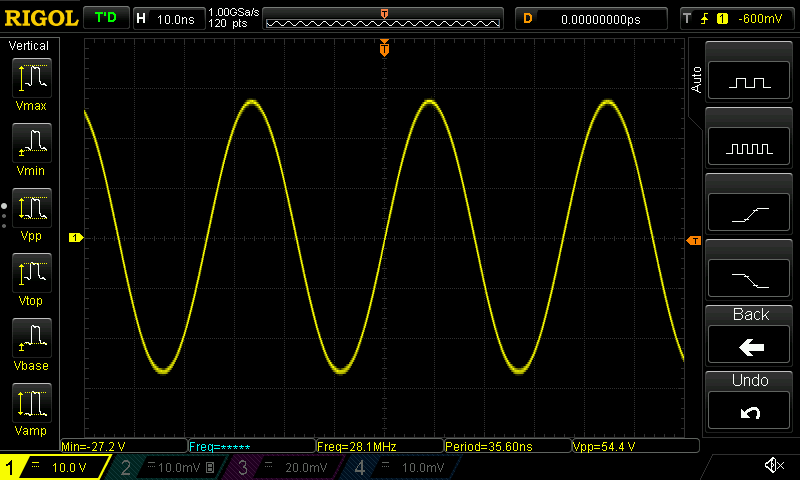
On-air results
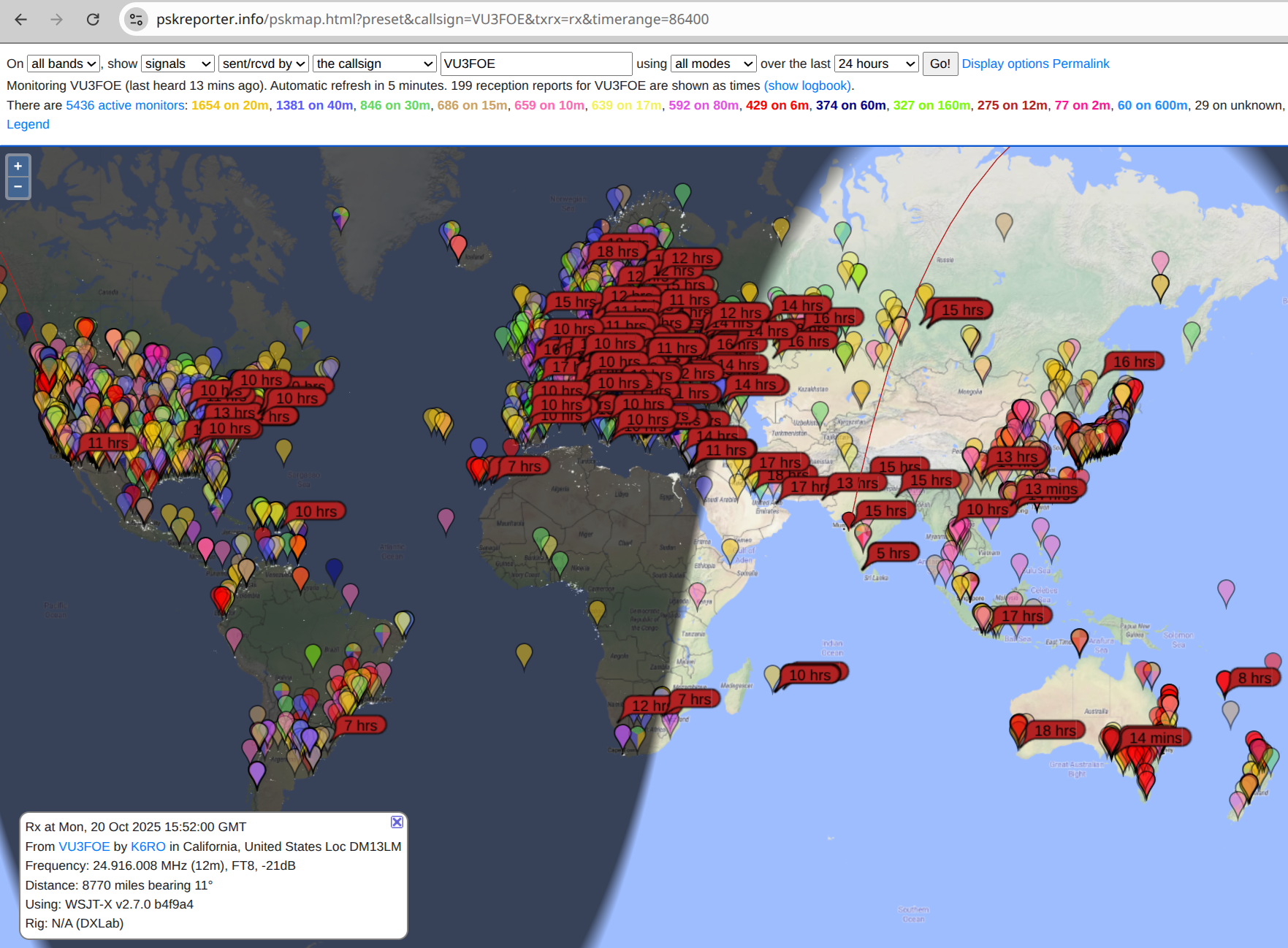

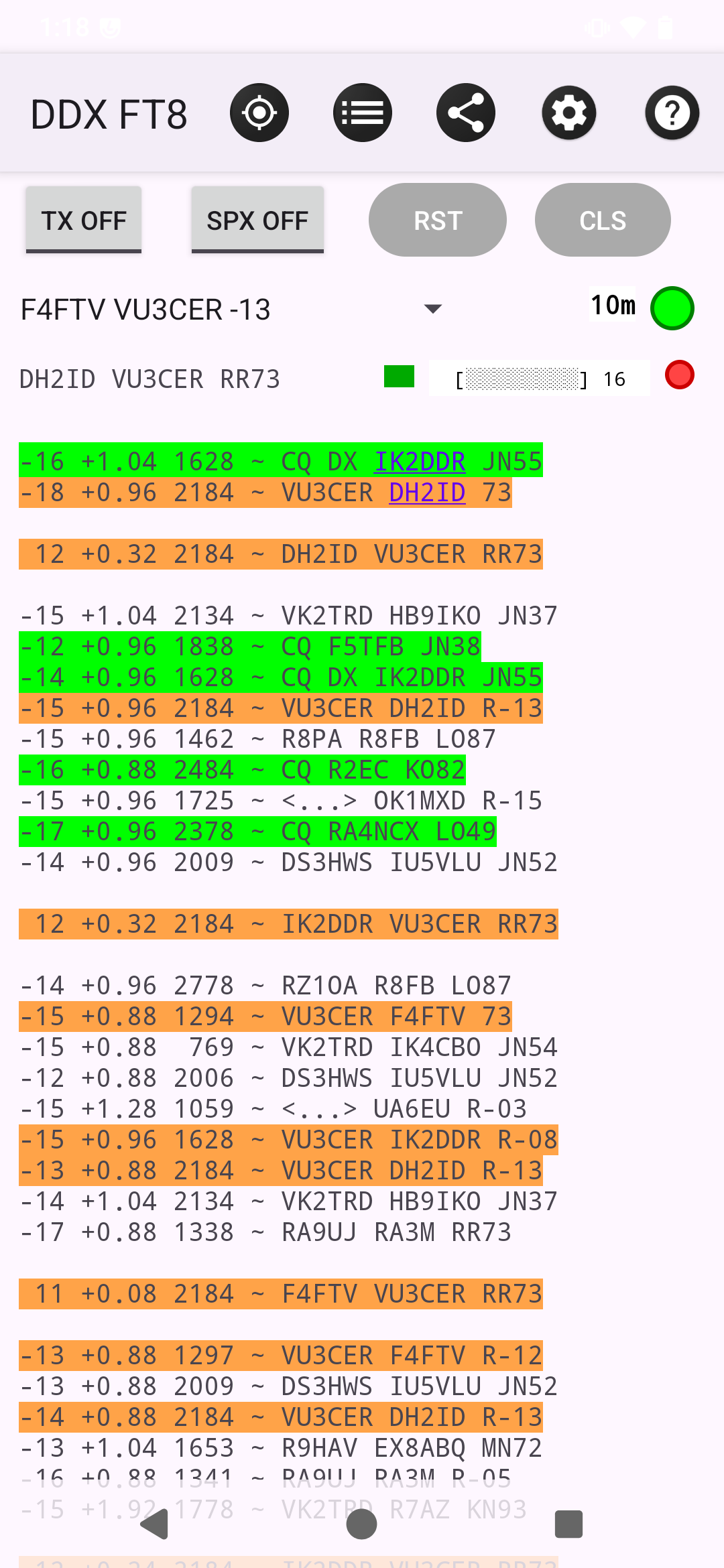
Award(s) on 10m
DDX Hardware Kit
Hardware kit with full firmware:
- 99%+ assembled board
- All hardware components
- Full firmware included
🔧 Hardware Files
Everything needed to build:
- Full schematics (PDF)
- Interactive HTML BOM
- PCB Gerbers (ready for fabrication)
- Bill of Materials (BOM)
- Component Placement List (CPL)
- Gerbers for LPF filters
- OpenSCAD enclosure files
- Help manual (PDF)
- DEMO firmware (.uf2, limited)
💾 Firmware License
Per-radio serial-bound license:
- Custom compiled firmware
- All HF band support
- TX support
- Tied to your radio's serial
- Delivered within 24-48 hours
📱 DDX FT8 Digital App
Android Companion App (OPTIONAL):
- Digital operation interface
- QSO logging
- Band hopping controls
- GPS for timing
- Works fully offline
How It Works
- Buy hardware files ($10) download instantly
- Order 99% assembled boards from JLCPCB
- Finish the small hand-assembly steps
- Flash DEMO firmware confirm RX + serial number
- Buy FULL firmware license ($10) with your serial
- Receive FULL firmware within 24-48 hours
- Flash and operate! Start making Digital contacts
Purchase Protection
- Hardware package purchases are delivered as digital files immediately after successful payment.
- Firmware licenses are compiled after purchase and normally delivered within 24-48 hours.
- If you do not receive your files, contact [email protected] with your payment ID for manual assistance.
- If your radio hardware changes and the serial changes, license transfer help is available.
- If you are unsure whether DDX fits your station, review the photos, screenshots, and FAQ below before purchasing.
Support Promise
- Support requests are handled by email through [email protected].
- Questions about build flow, delivery, licensing, and common setup issues are welcome.
- When asking for technical help, include your serial number, operating setup, and clear photos or measurements.
Policy Summary
- Hardware files are digital goods intended for personal build use.
- Firmware licenses are issued per radio serial number.
- Commercial production or resale requires separate permission.
- Full policy details are linked in the footer of every page.
Community and Feedback Build reports, compatibility notes, app feedback, and documentation corrections.
DDX is meant to feel like a builder community, not a one-way storefront. Real build reports, operating results, compatibility notes, and practical suggestions are welcome.
If you build DDX, share what worked, what was confusing, what could be documented better, and what you would like to see improved. That feedback helps shape future revisions.
If you build DDX, send us your first on-air report.
Frequently Asked Questions General, build, licensing, and technical answers grouped into foldable categories.
General & Performance
How does DDX compare to commercial $500+ Digital radios?
DDX is focused on Digital rather than broad multimode operation, so the comparison is mainly about Digital capability and build cost rather than feature parity with larger commercial radios.
Why only Digital?
Digital works extremely well in weak and poor band conditions, so it remains one of the most practical ways to get results on HF with modest stations. Even during solar maximum, roughly 75% of activity still centers around Digital, and there is usually Digital activity available somewhere on the bands 24/7. It creates a more level playing field for students, youngsters, apartment operators, low-budget builders, and anyone without large antennas, high power, or expensive radios. It can also be a more approachable starting point for people who are shy about voice operation, not fluent in spoken English, or simply want a structured way to begin making contacts with confidence. Just as importantly, Digital gives many newcomers an early first success on HF, and that first success often leads to deeper learning, experimentation, and long-term interest in amateur radio. For many curious minds, Digital also opens the door to DSP, information theory, timing, decoding, signal processing, and propagation topics that can lead to deeper STEM learning and even shape future career choices.
What's the real-world performance? How far can it reach?
With a reasonable antenna, long-distance Digital contacts are common, but results depend on propagation, band, and local noise. We were able to contact Belize from MK68 (Pune) over a distance of 15,000+ kilometers using DDX.
Do I need a linear amplifier?
Usually no; for Digital, improving antenna quality and lowering noise helps more than adding an amplifier.
Do I need a ham radio license to transmit with DDX?
In most countries, yes: receiving is generally unrestricted, but transmitting requires a valid amateur license and rule compliance.
Is DDX beginner-friendly, or is this mainly for experienced builders?
DDX is intended for careful hobbyists, not only advanced RF builders. If you can follow documentation, do basic soldering, flash firmware (simple copy-paste), and troubleshoot methodically, DDX will work 100% .
Is this a physical product or a digital product?
You can choose the DDX HW Kit for ₹5,000, including a 99%+ assembled board, all hardware components, and full firmware. Hardware Files and the separate Firmware License are digital products.
Does DDX manufacture hardware directly?
DDX is a design-led project. We create the hardware design, firmware, and build documentation, while PCB fabrication and assembly are handled by external manufacturing partners chosen by the builder.
Can I use DDX without the Android app?
Yes. DDX works with standard desktop software such as WSJT-X on Windows, Linux, and macOS. The Android app is optional.
Why is the Android app marked as WIP (work-in-progress)?
The app is ready but still waiting to be listed on Google Play. That does not block the main DDX hardware and firmware workflow.
Can I share feedback or contribute ideas to future revisions?
Yes. Builder feedback, operating results, compatibility notes, app feedback, and documentation corrections are welcome and help shape future DDX improvements.
Build & Assembly
Can I really build this myself? I'm not an expert.
Yes; JLCPCB handles *all* SMD work, and you finish a few easy through-hole steps plus firmware flashing.
What skill level is required?
A careful hobbyist should be able to complete the build if they are comfortable with basic soldering, flashing firmware, and methodical troubleshooting. RF experience helps, but the workflow is intended to be practical rather than expert-only.
What do I need on my bench before I start?
At minimum, plan on a regulated 12-13.8V supply, a known-good USB data cable, basic soldering tools, a multimeter, a computer or Android device for software, and ideally a dummy load plus simple RF test gear for bring-up.
How long does it take from order to on-air?
Typical total time is about 2-3 weeks, mostly due to PCB assembly and shipping.
What parts of the build are most likely to trip people up?
The usual trouble spots are power wiring mistakes, using the wrong USB cable, approving unsuitable substitute parts, incorrect filter setup, and expecting TX behavior while still on DEMO firmware.
What exactly do I need to buy separately to complete the build?
You will typically still need PCB fabrication and assembly, the remaining hand-soldered parts, enclosure materials, appropriate LPF/TX filtering, a regulated power supply, cabling, and your normal station accessories such as an antenna and computer or Android device.
What is the total realistic build cost, including PCB assembly and parts?
It depends on board quantity, assembler pricing, substitutions, enclosure choices, filters, and shipping. Treat the storefront prices as only part of the total and budget for PCB fabrication/assembly, remaining parts, power, filtering, and station accessories.
What is not included in the hardware package?
No physical boards, assembled hardware, power supply, antenna, cables, filters, tools, or bench equipment are included. The hardware package is the digital design and documentation set.
What happens after I buy the hardware package?
You receive the files by email, review the documentation, order the boards, complete the remaining assembly, flash the DEMO firmware, confirm the radio serial, and then buy the TX-enabled firmware license when ready.
What if something doesn't work after I build it?
Validate with DEMO first, then contact support with serial number, measurements, and clear photos if needed.
What if I need help with assembly?
Use the included manual and assembly references, and email [email protected] if you need build help.
What happens if JLCPCB substitutes parts or cannot source something?
Review any suggested substitutions carefully before ordering. In general, critical RF, clocking, power, and switching parts should not be changed casually. If in doubt, ask before approving substitutions.
How much soldering is still required after PCBA?
The goal is to leave only a small amount of straightforward hand assembly after the boards arrive, which typically takes less than 15 minutes or so. This being said, the exact remaining work depends on how you source or assemble the non-PCBA items.
Can I use a different board house or assembler?
Usually yes, as long as the fabricator can work correctly from the provided production files. JLCPCB is the reference flow because it is the most directly documented.
How do I reduce the JLCPCB PCBA (assembly) cost?
Move selected Extended Parts to manual soldering to reduce PCBA cost.
Can USB alone power the complete radio?
No; USB powers the control/audio path, while the RF stage needs separate 12-13.8V DC input.
Is there any alignment, calibration, or RF tuning required after assembly?
Nope! But you should still verify power rails, relay behavior, filtering, frequency stability, and clean output before regular operation.
What power supply should I use?
Use a regulated 12-13.8V supply rated at 2A+, and limit first power-up current to about 100mA. For field-use, please see this article.
What test equipment is recommended?
At minimum, a multimeter, a current-limited bench supply or other protected power source, and a known-good USB data cable are recommended. A dummy load and basic RF measurement tools are also useful during bring-up.
What are the first 3 checks if nothing works?
Start with a known-good USB data cable, correct firmware mode (DEMO has no TX), and accurate system time sync.
What if I damage the board during assembly?
That depends on the fault, but many builds can still be recovered by replacing the damaged part or reworking the affected area. Clear photos and measurements will help determine the next step.
Licensing & Costs
Why is the firmware sold separately with serial binding?
Serial binding prevents redistribution, keeps pricing practical, and lets you verify hardware with DEMO first.
Can I build multiple radios?
Yes for personal use, but each radio needs its own firmware license ($10) tied to its serial.
What if my radio hardware fails or I need to replace the MCU?
If your RP2350-Zero is replaced and serial changes, contact us with old/new details for a no-cost license transfer.
How long will firmware licensing and support remain available?
The intent is to keep licensing and support available on an ongoing basis, but like any small project it depends on continued operation. If that ever changes, a clear notice will be given rather than silently ending delivery.
Are there licensing restrictions?
Yes; files are for personal use, and commercial manufacture/sales require separate licensing.
Are group buys allowed?
No; licenses are issued to individuals, and each builder must purchase separately.
Are club builds allowed?
Yes. Only one hardware license is enough for the whole group / club build. Each group / club member needs to purchase their own firmware license. The group / club can then place a combined PCB assembly order with JLCPCB to save on costs.
What exactly is delivered after purchase?
Delivery is digital only: schematics, BOM/CPL/gerbers, firmware, and docs; no physical hardware is shipped.
Do I get updates if the files are revised later?
Yes. All minor updates to the files are free for existing buyers.
Do you accept international payment?
Yes.
What if the hardware download email does not arrive?
Check spam first, then email [email protected] with your payment ID and purchase email address for a resend.
What support is included after purchase, and what is out of scope?
Purchase includes reasonable help with delivery issues, licensing, and normal build questions. It does not include unlimited custom engineering, deep station debugging, or redesign work for modified builds.
What if I enter the wrong serial number for firmware?
Contact support as quickly as possible. Corrections are easiest before compilation starts, but each case will still be reviewed and help provided where possible.
Can I transfer my purchase to another person?
As a general rule, purchases are intended for the original buyer and builder. If you have an unusual situation, such as a club-build handover or project transfer, ask first.
Is the current version the same as the older open-source predecessor?
No. The earlier public project shows the technical lineage, but the package sold here is a newer release with later development, packaging, support, and delivery work.
Technical Capabilities
What bands are supported?
DDX supports 40m to 10m with manual filter switching, and standard 50Ω LPFs are fine.
Do I need an LPF/TX-BPF while transmitting?
Yes; use a proper LPF/TX-BPF for the active band for clean and compliant transmission.
Which operating systems are supported?
Supported platforms are Windows, Linux, macOS (WSJT-X + helper), and Android via the DDX Digital app.
What does the DEMO firmware do and not do?
The DEMO firmware helps verify the hardware build, confirm receive-side operation, and expose the radio serial needed for licensing. It is not the full TX-enabled firmware package.
Can I use it as receive-only before buying the firmware license?
Yes. That is one of the main reasons DEMO firmware exists: you can validate the build, confirm receive behavior, and verify the serial before paying for TX-enabled firmware.
Can I use a power amplifier with DDX later if I want to?
Yes, but only if the rest of the station is set up correctly, including filtering, drive level, duty-cycle awareness, and legal compliance. For most Digital use, antenna and noise improvements usually matter more.
What is the single most effective way to protect the PA and make it bulletproof?
Use a current-limited power supply. A bench supply with constant-voltage (CV) and constant-current (CC) modes can prevent catastrophic failures during tuning or mismatch conditions. For field use, place a 4A DC-DC Step-down Adjustable Constant Voltage Module (widely available) in series with your power source to provide similar protection.
What if regulations in my country differ from yours?
Your local amateur-radio rules take priority. You are responsible for band privileges, permitted power, spectral cleanliness, identification, and any equipment requirements that apply where you operate.
Can I modify the design?
Source is not included in the standard package; contact [email protected] for custom requirements.
Can I use DDX for monitoring the bands automatically (SWL)?
Yes. WSJT-X's built-in band-hopping feature works very well with DDX.
Can I use DDX for listening to SSB signals (HAM conversations) and CW?
Hardware supports SSB and CW receive, with feature enablement based on roadmap and demand.
Can I report compatibility results or field experience?
Yes. Reports from real builds and real operating conditions are useful, especially when they include software versions, band, power setup, filters, and any measurements or screenshots.
Will the firmware be open-sourced?
Eventually yes. The core parts are already open-source and upstreamed by us.
Was any earlier DDX-related work released as open-source?
Yes. An older predecessor project, Global Communications Transceiver, was published publicly in July 2024. The package sold on this site is a newer release with its own delivery and licensing model.